SNAU257 October 2020
2.1.3 Analog EVM Controller Firmware Upgrade
The firmware for the Analog EVM Controller must be upgraded for the first time before using the software. A jumper must be modified, and the USB cable must be connected to the XDS110 port of the Analog EVM Controller to download firmware. The firmware can be programmed to the Analog EVM Controller using the online tool UniFlash. This link is also provided on the Setup page of the GUI. The firmware bin file can be found at <Download Directory>\TPL1401EVM_1.0.1_installer_win\install_image_TPL1401EVM\TPL1401EVM\firmware\acctrl.0.3.0.3b.bin after unzipping the file install_image_TPL1401EVM.zip.
Follow the step-by-step procedure below to upgrade the firmware and install the device drivers successfully:
- Remove jumper JP6 on the Analog EVM Controller as shown in step 1 of Figure 2-4.
- Mount jumper on 5V-OTG. Retain the jumper on 5V-XDS as shown in step 1 of Figure 2-4.
- Connect the USB cable to the port on the XDS110 side of the board as shown in step 2 of Figure 2-4.
- Connect the USB cable to PC and open UniFlash. Click on Start Now in the Detect Device section.
- If the GUI Composer framework is being installed for the first time on the PC, the browser extension and the TI Cloud Agent must be installed. Follow the 2-step installation flow prompted on the web page, as shown in Figure 2-3
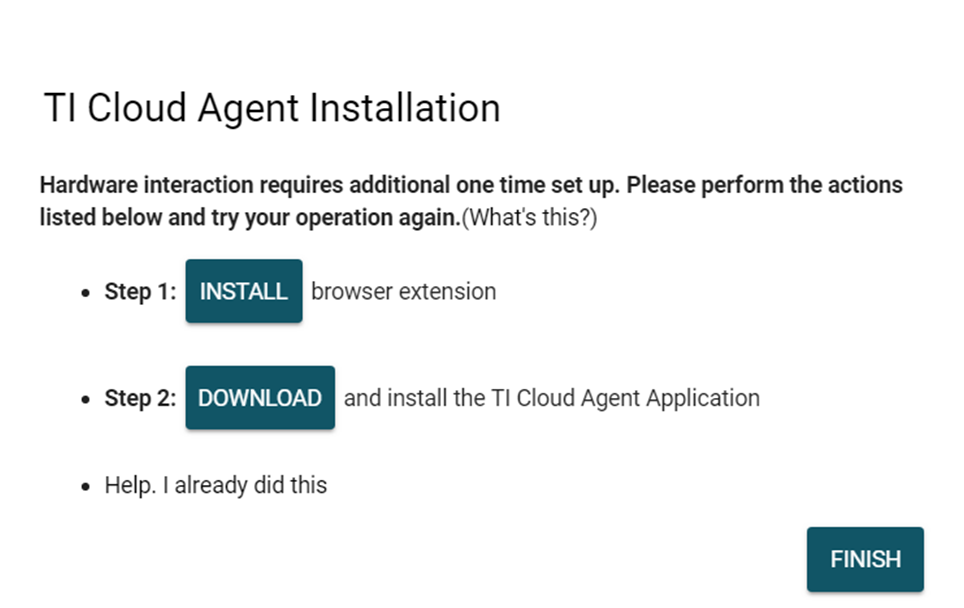 Figure 2-3 TI Cloud Agent Installation
 - Press the Refresh or Finish button after the installation is complete. This action should detect the Launchpad.
- Press Start and browse for <Download Directory>\TPL1401EVM_1.0.1_installer_win\install_image_TPL1401EVM.\TPL1401EVM\firmware\acctrl.0.3.0.3b.bin. Press Load Image followed by Verify Image.
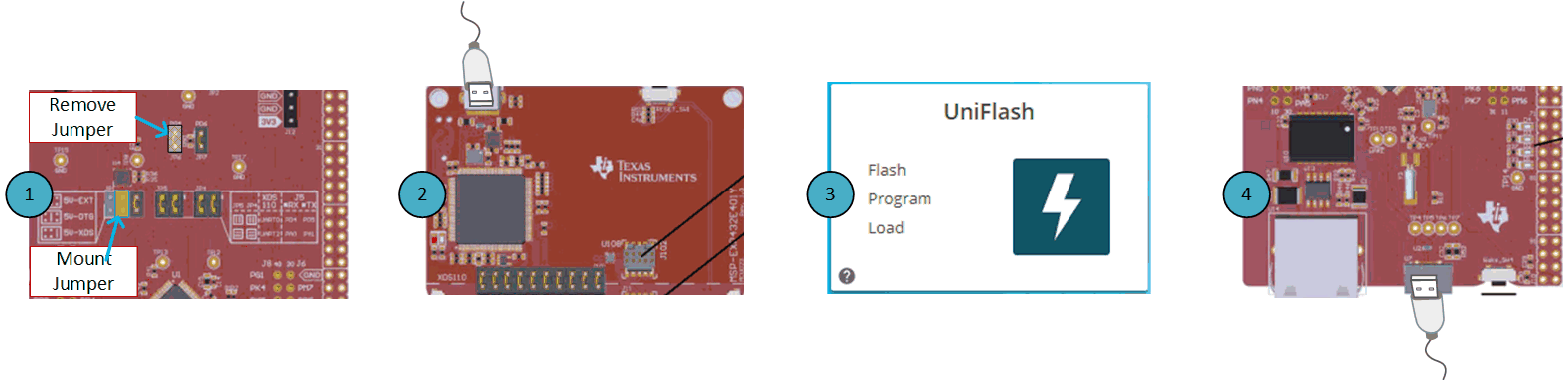 Figure 2-4 Analog EVM Controller Setup